
Contacts, organisations, and projects each have an index page listing every record. You can filter those lists to find what you need, and save the result as a view to come back to.
Filters are quicker than segments, but less powerful. A filter is a temporary search; a segment is saved and reusable. See How to Create a Segment.
Start from the master view
We've built an ECA Master Contact View as the default starting point.
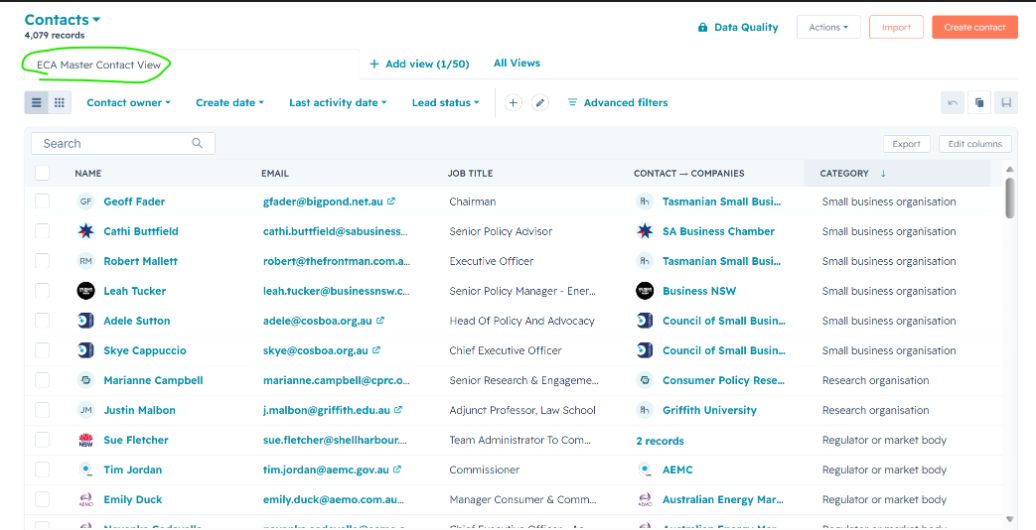
Creating your own view
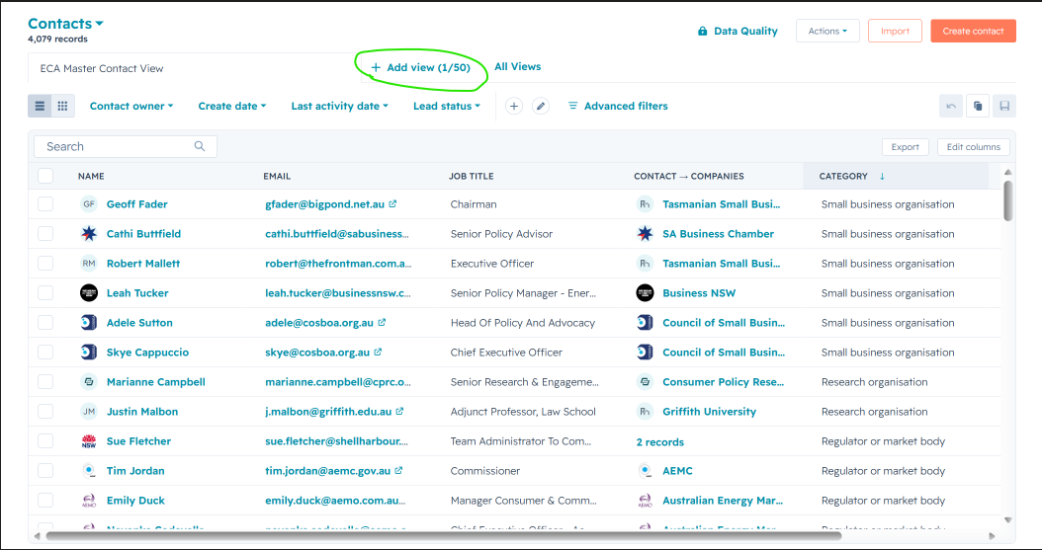
Step 1. Click + Add view above the list.
Step 2. Give the view a name and choose who can access it.
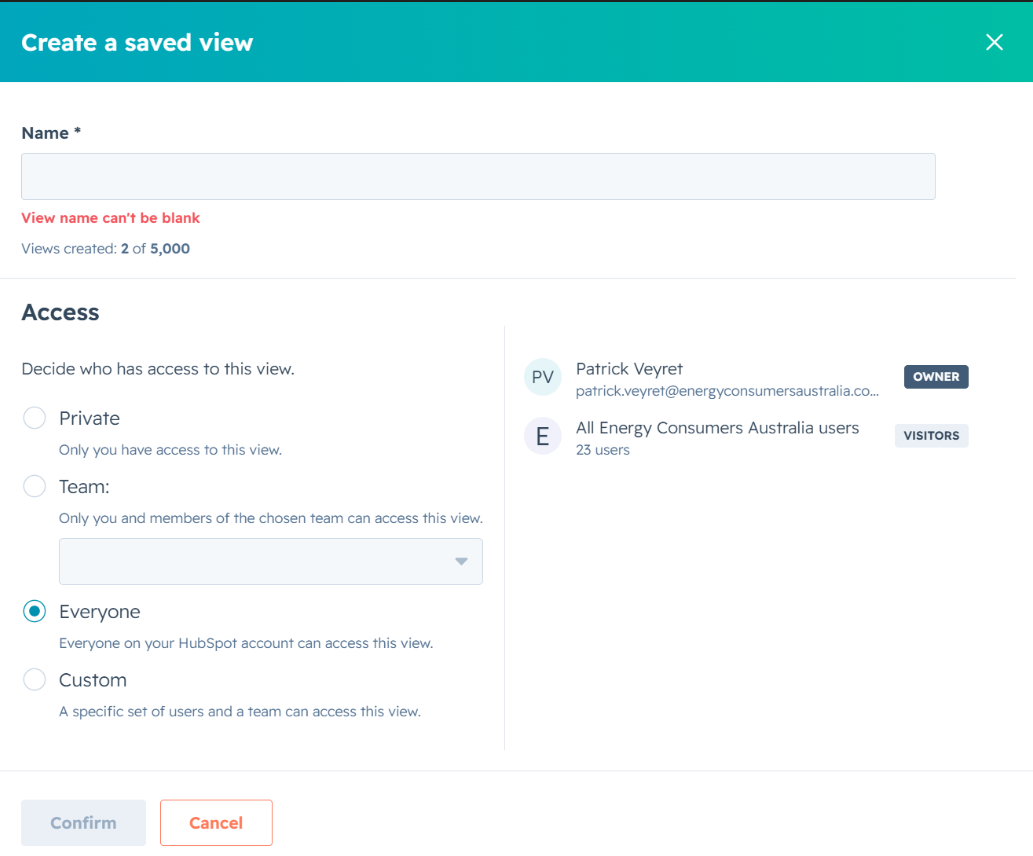
| Access option | Who can see it |
|---|---|
| Private | Only you |
| Team | You and members of a chosen team |
| Everyone | Everyone on the ECA HubSpot account |
| Custom | A specific set of users and a team |
Pick deliberately. If the view is only useful to you, keep it Private — every view set to Everyone adds clutter to the tab bar for all 23 users.
Step 3. Click Confirm.
Advanced filters
For anything beyond the quick dropdown filters — filtering all contacts by jurisdiction, for example — use Advanced filters.
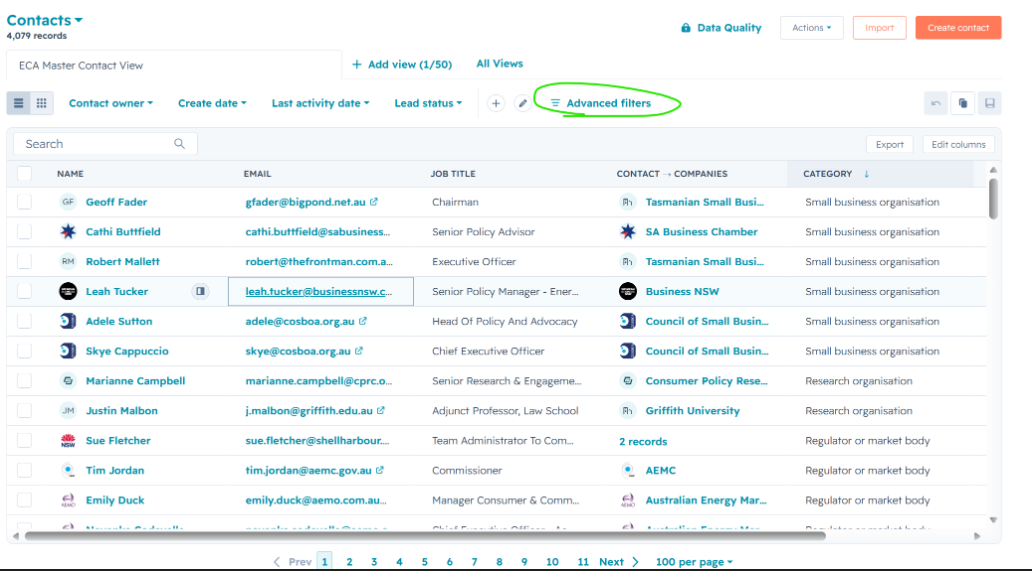
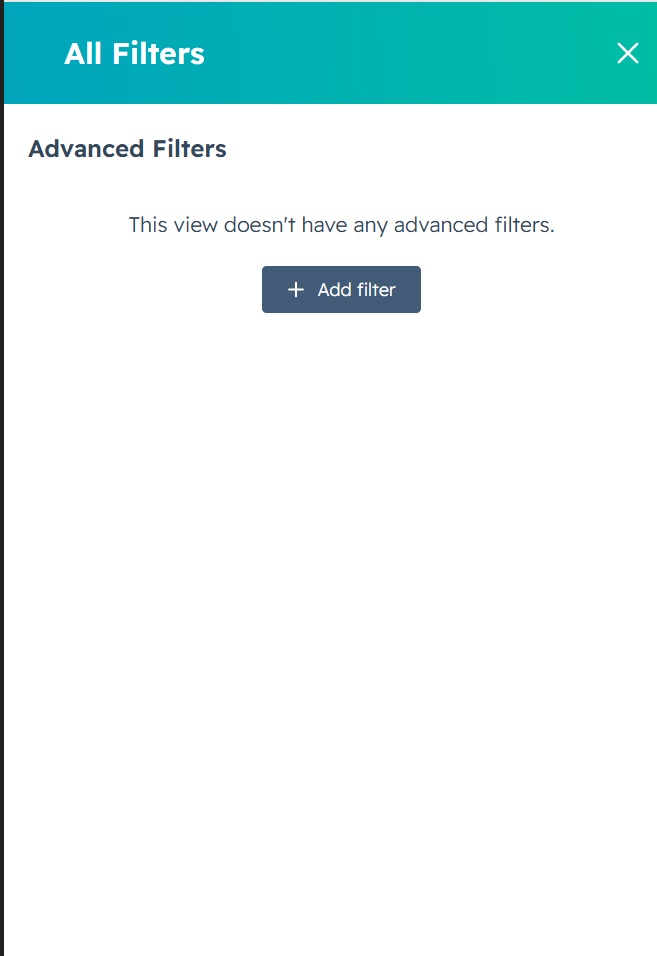
Click Add filter, choose your property, and set the criteria. You can stack multiple filters.
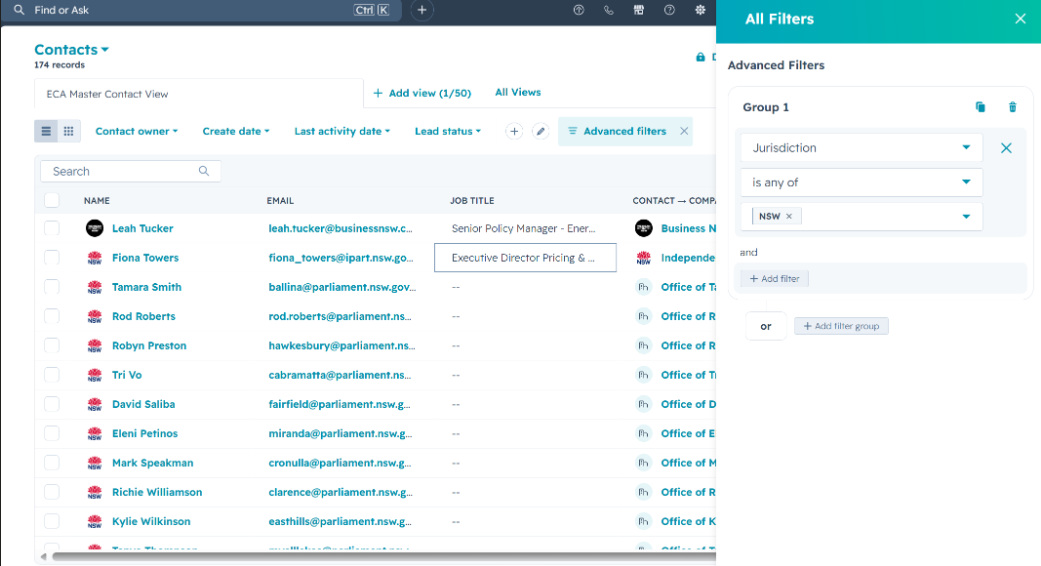
Advanced filters use the same AND / OR logic as segments — see How to Create a Segment for how that works.
Filters or segments?
| Use a filter when | Use a segment when |
|---|---|
| You need a quick, one-off look | You'll reuse the group |
| You're browsing or checking data | You need it for a campaign or report |
| You want to save a view for yourself | Others need access to the same group |
Related articles (link once published)
- How to Create a Segment
- How Contacts Are Categorised
- Issues and Jurisdiction
- Glossary of Key Terms